Conference Filming London: Professional Multi-Camera Setup Guide
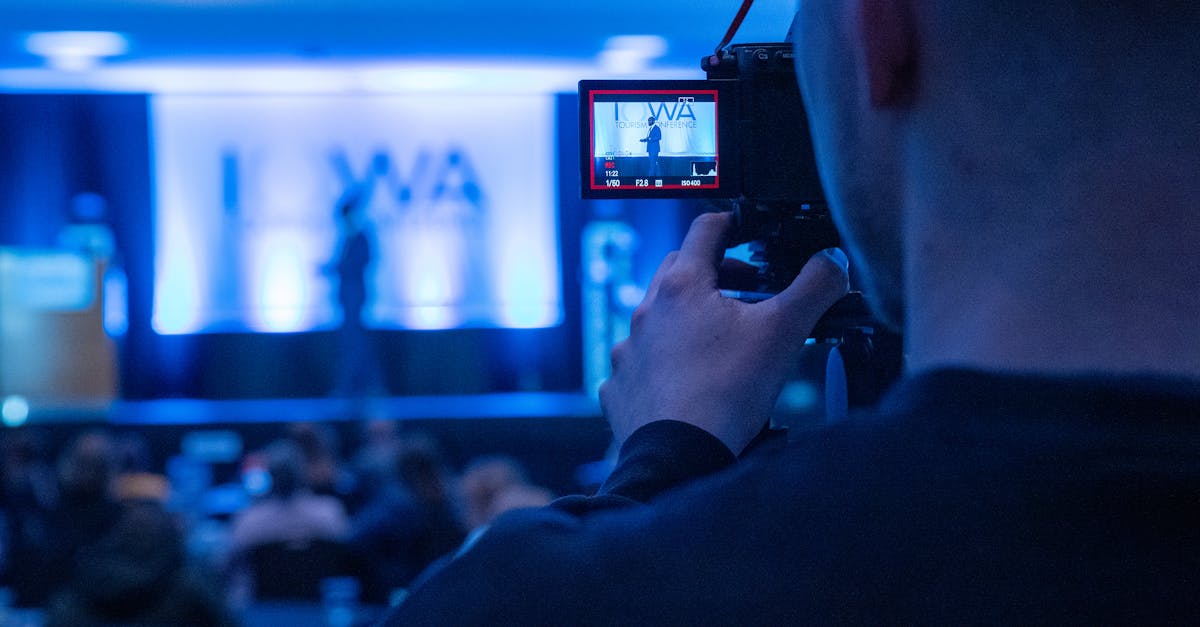 Photo on Pexels
Conferences and corporate events represent significant investments for organisations. Capturing these moments with professional video production ensures your content lives on long after attendees have left the venue. At Airframe Media, we specialise in multi-camera conference filming across London and the UK, creating polished video content that extends the reach and impact of your events.
Why Multi-Camera Conference Filming Matters
Single-camera coverage simply cannot capture the dynamic nature of a conference. Attendees move, presenters gesture, and screens display crucial information simultaneously. Multi-camera setups solve this by:
- Providing visual variety - Multiple angles keep viewers engaged through long presentations
- Capturing reactions - Audience shots add authenticity and energy
- Ensuring safety coverage - If one camera has an issue, others maintain the recording
- Enabling dynamic editing - Post-production can cut between angles for professional pacing
- Recording presentations and speakers simultaneously - No missing key moments
For conferences lasting several hours or featuring multiple speakers, multi-camera coverage is not a luxury but a necessity for professional results.
The Standard Multi-Camera Configuration
 Photo on Pexels
Three-Camera Setup (Most Common)
For most London conference venues, we deploy a three-camera configuration:
Camera 1 - Wide Shot (Centre-Back)
- Positioned at the rear of the room, centre aisle
- Captures the full stage, screen, and presenter simultaneously
- Acts as the "safety" shot that runs continuously
- Typically mounted on a tripod at standing height
Camera 2 - Medium/Tight Shot (Off-Centre)
- Positioned to one side, closer to the stage
- Captures presenter close-ups and mid-shots
- Operated manually for following movement
- Provides the main "broadcast" quality footage
Camera 3 - B-Roll/Audience Camera (Roaming)
- Mobile position throughout the room
- Captures audience reactions, networking, and atmosphere
- Covers screen/presentation details
- Provides cutaway footage for editing
Four and Five-Camera Configurations
For larger venues or high-profile events, additional cameras add:
Camera 4 - Screen Capture
- Dedicated to capturing presentation slides/graphics
- Often positioned directly in front of main screen
- Provides clean graphics for picture-in-picture editing
Camera 5 - Second Roving Camera
- Additional coverage of audience, breakout rooms, or exhibition areas
- Useful for conferences with parallel sessions
Essential Equipment for Conference Filming
Professional conference filming requires specific equipment matched to venue conditions:
Cameras
- Cinema cameras (Sony FX6, Canon C70) for low-light performance
- Broadcast-quality sensors for accurate colour reproduction
- 4K recording capability for future-proofing content
Audio Equipment
 Photo on Pexels
Audio quality often separates amateur from professional conference video:
- Direct feed from venue PA system - Cleanest option when available
- Wireless lapel microphones - Essential backup for each speaker
- Shotgun microphones on cameras - For ambient and audience audio
- Portable recorders - Redundant audio recording for safety
Lighting Considerations
Most conference venues have adequate ambient lighting, but professional crews often add:
- LED panels for speaker fill light
- Portable lights for interview setups
- Diffusion equipment to soften harsh venue lighting
Support Equipment
- Heavy-duty tripods rated for long-duration shoots
- Sliders or gimbals for dynamic B-roll
- Monitor systems for real-time viewing
- Cabling and signal management equipment
The Conference Filming Process
Pre-Production (1-2 Weeks Before)
Venue Recce Before any conference, professional crews conduct a site visit to:
- Assess lighting conditions at different times of day
- Identify optimal camera positions
- Plan cable runs and power requirements
- Coordinate with venue technical staff
- Note any restrictions or access limitations
Production Planning
- Obtain running order and speaker list
- Gather presentation files for screen capture backup
- Confirm audio feed availability
- Arrange equipment transport and parking
- Schedule crew call times
Production Day
Setup (2-4 Hours Before Event)
- Equipment load-in and positioning
- Camera and audio testing
- White balance and exposure setting
- Communication checks between crew
- Coordination with event organisers
During the Event
- Continuous monitoring of all feeds
- Real-time adjustments for lighting changes
- Speaker coordination for lapel mic changes
- Backup recording verification
- Capture of all key moments plus B-roll
 Photo on Pexels
Post-Production
Editing (1-3 Weeks) Typical conference deliverables include:
- Full-length sessions with multi-camera editing
- Speaker highlight reels (2-5 minutes each)
- Event summary video (3-5 minutes)
- Social media cuts for LinkedIn, X, and YouTube
- Presentation recordings with picture-in-picture
Delivery Formats
- Master files in 4K for archiving
- Web-optimised versions for streaming
- Platform-specific exports (YouTube, LinkedIn, internal hosting)
What to Expect: Costs and Timelines
Conference filming investment varies based on:
| Factor | Impact on Cost |
|---|---|
| Event duration | Longer events require more crew hours |
| Number of cameras | Each camera adds equipment and operator costs |
| Venue complexity | Challenging venues need more setup time |
| Deliverable quantity | More edited outputs means more post-production |
| Turnaround speed | Rush delivery carries premium rates |
For a typical one-day conference in London with three-camera coverage and standard editing package, budgets typically range from £2,500-£6,000 depending on requirements.
For detailed pricing tailored to your event, contact our team for a custom quote.
Choosing the Right Conference Filming Partner
When selecting a video production company for your London conference, consider:
Experience with Similar Events
- Request examples of previous conference work
- Ask about experience in your industry sector
- Check they understand corporate event dynamics
Technical Capability
- Confirm equipment quality and redundancy
- Ensure they can handle your venue's requirements
- Verify backup procedures for critical recordings
Professionalism
- Clear communication throughout the process
- Appropriate dress code for corporate events
- Understanding of non-disruptive filming practices
Post-Production Skills
- Editing style that matches your brand
- Ability to incorporate your graphics and branding
- Realistic timeline commitments
Beyond the Conference: Maximising Your Video Content
Professional conference footage provides material for:
- On-demand content library - Let attendees review sessions
- Marketing collateral - Promote next year's event
- Training resources - Share knowledge across the organisation
- Social proof - Demonstrate industry authority
- Recruitment - Show company culture and thought leadership
The initial filming investment often generates months of valuable content when properly planned.
Ready to Film Your Next Conference?
At Airframe Media, we bring years of experience filming conferences, seminars, and corporate events across London. From intimate boardroom presentations to large-scale industry conferences, our multi-camera setups ensure every moment is captured professionally.
Get in touch to discuss your upcoming event, or explore our portfolio to see our conference filming work.
Looking for live streaming capabilities alongside filming? Read our guide to live streaming services in London.
TAGS
Related Services
Ready to Bring Your Vision to Life?
Let's discuss how our video production services can elevate your brand

